Duress Credential Alarm Configuration
Introduction
The Duress Credential Functionality transforms an ordinary credential into a crucial safety tool, acting as a duress alarm or event. It's designed for situations where discreet and immediate notification is necessary, such as during forceful overruns, protests, or other emergencies where accessing a traditional alarm button is not feasible.
Overview
By presenting a credential to a reader, the duress functionality silently notifies a predefined group, triggering a series of automated responses. This feature enhances emergency protocols by allowing silent, yet effective communication during critical situations.
How It Works
High-Level Functionality
-
Any individual in the BluSKY database can have their credential tagged with a special duress flag.
-
When this flagged credential is presented to a reader, a duress alarm is automatically generated.
-
This alarm can initiate various actions:
-
Sending notifications to a distribution group.
-
Shutting down parts of a facility.
-
Activating and recording from cameras.
-
Triggering strobes.
-
Other actions defined in the BluSKY rules and notification engines.
Setting Up Duress Functionality
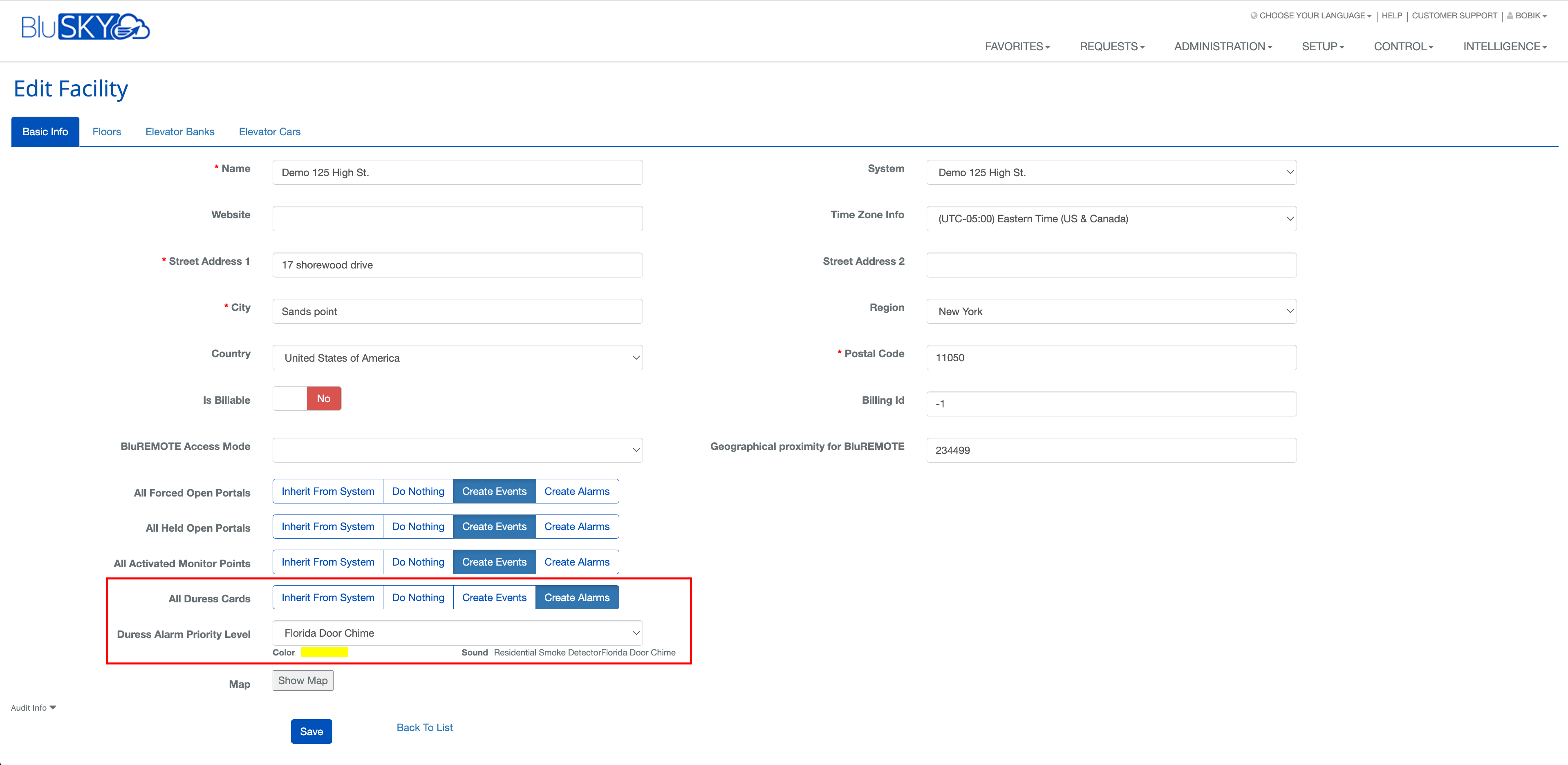
- Define Alarm Actions:
- In the facility tab, choose the desired response for a duress card activation.
- Options include Inherit From System, Do Nothing, Create Events, Create Alarms and setting up alarms with Priority Level, Color and Sound.
- Assigning Duress Flags to Personnel:
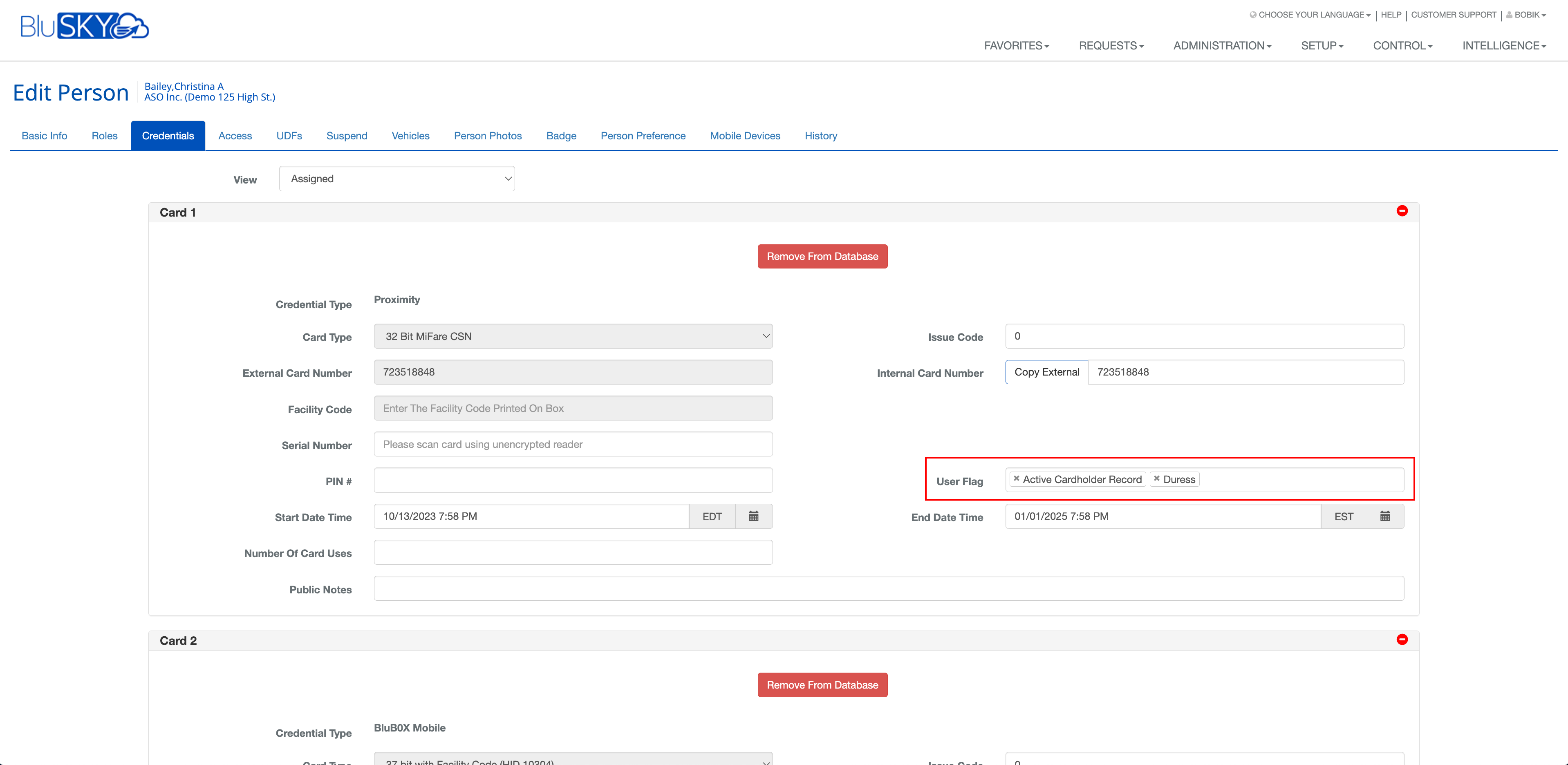
- Navigate to a person's record and access the credential tab.
- Add the duress flag to the desired credential under the special flags section.
- Save the changes to activate duress functionality for that credential.
- Notification Templates:
- Set up a notification template or use an existing alarm template.
- This step is crucial for sending out notifications when a duress alarm is triggered.

- Creating Rules:
- Define rules to specify actions upon a duress alarm.
- These can include notifications, video recording, strobe activation, building lockdown, etc.
- Rules can be tailored for all readers or specific ones.

Response to Duress Alarms
- Upon activation, duress alarms are displayed in the alarm or event screen, depending on their configuration.
- The display priority corresponds to the pre-set alarm or event priority.

Conclusion
The Duress Credential Functionality is a vital component of BluSKY's security framework, offering silent yet powerful emergency response options. Proper setup and understanding of this functionality ensure a robust and responsive security system.