Access Level Content Report
Overview
The Access Level Content Report provides key Access information such as Access Level, Type, Device Name, Schedule Name, BluRemote Status, Number of Assignments and more.
Output
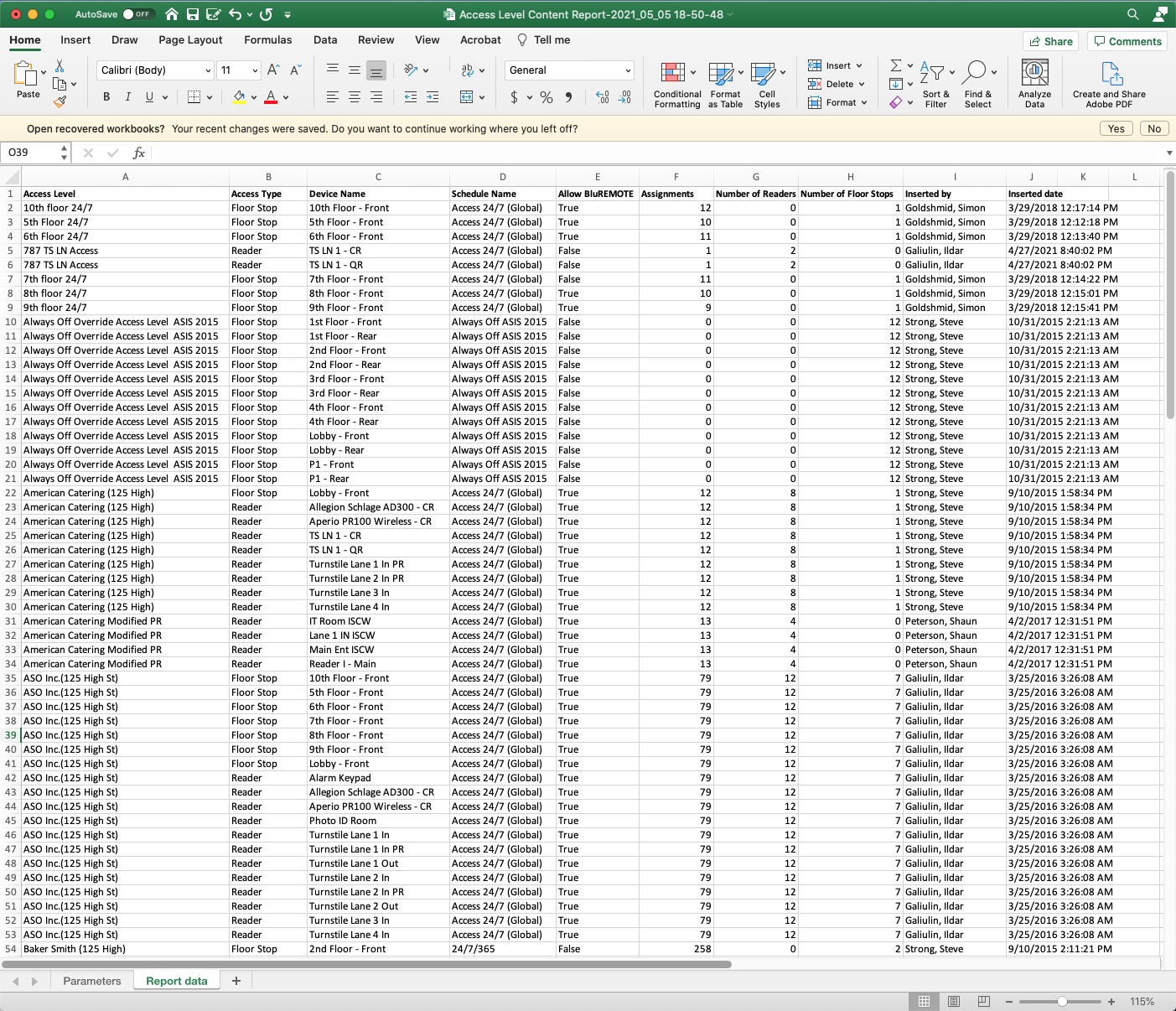
Video
Step by Step
- Log in and navigate to Access Level Content Report. Main Menu> Reports> Access Level Content Report
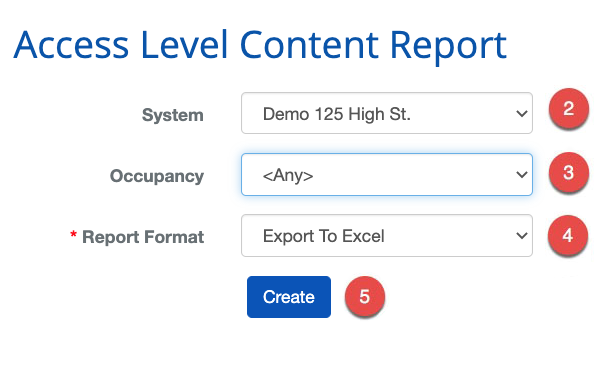
- Select the System
- Select the Occupancy
- Select the Report Format
- When finished use the
 button to generate the report.