Expected Visitor Summary Report
Overview
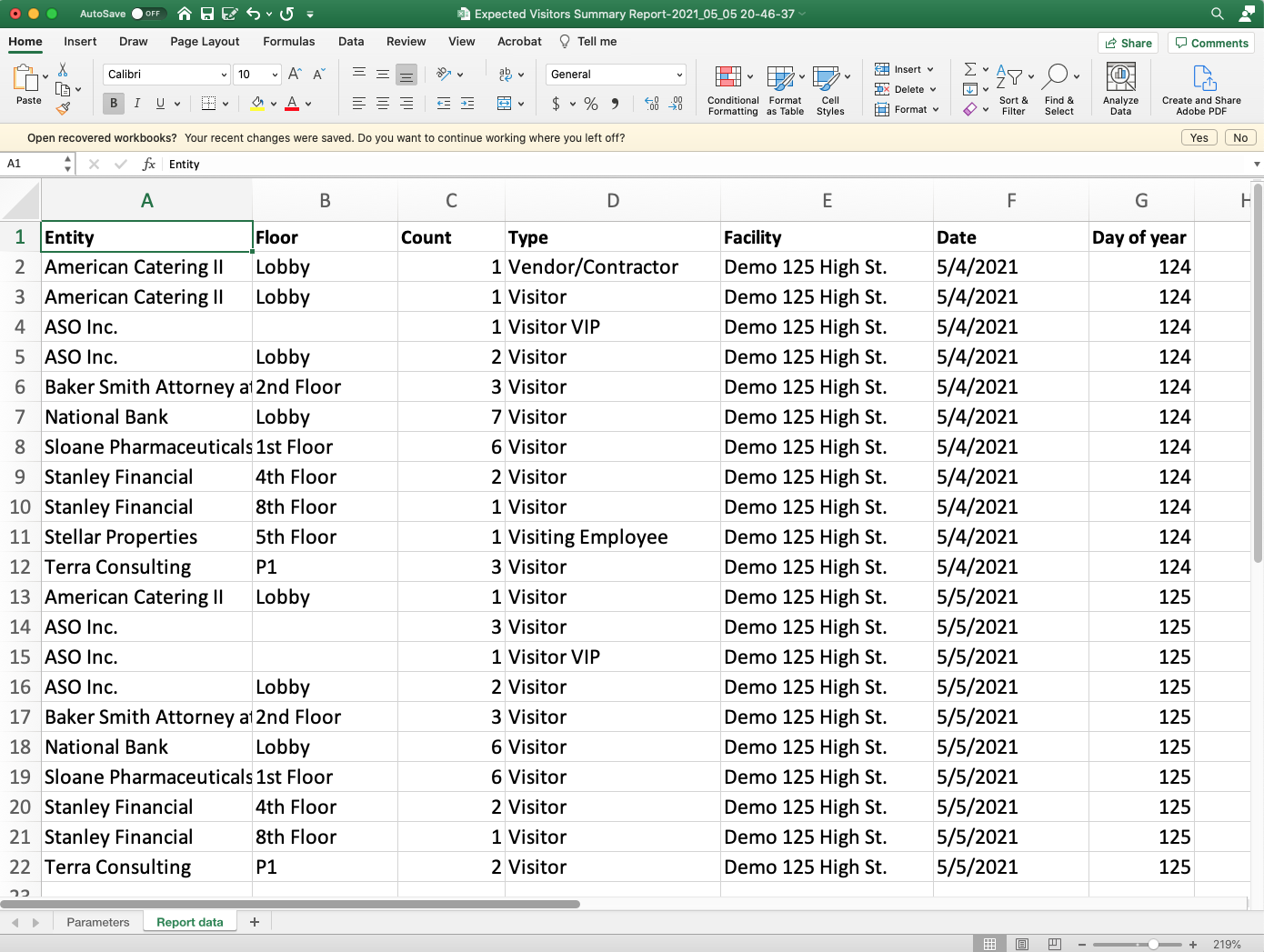
Expected Visitor Summary Report Lets you know what Visitors/Vendors are coming to the building.
Output
Video
Step by Step
- Log in and navigate to Access Level Content Report. Main Menu> Reports> Expected Visitor Summary Report**
 **
** - Select the System
- Select the Visitor Type
- Pick the timezone and date
- Select the Report Format
- When finished use the
 button to generate the report.