Who’s In Summary Report
Overview
The Who's In Summary Report provides a detailed account of people by Entity, Floor, Count, Facility, and Date.
Output

Video
Step by Step
- Log in and navigate to Access Level Content Report. Main Menu> Reports> Who's In Summary Report****
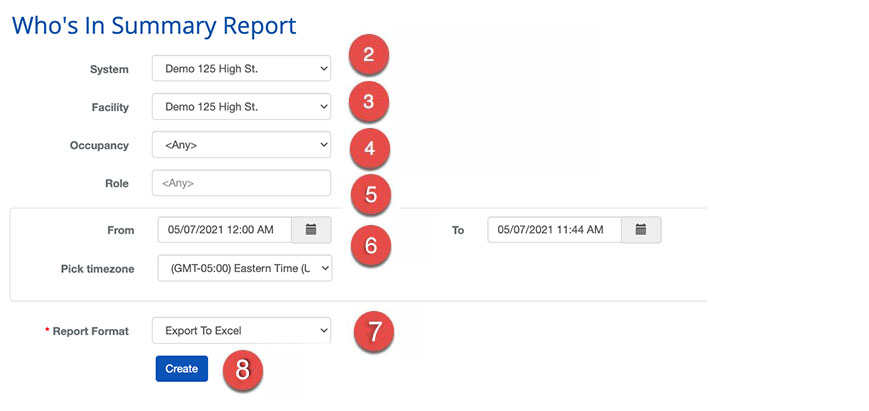 ****
**** - Select the System
- Select the Facility
- Select the Occupancy
- Select the Role
- Select the Date and timezone
- Select the Report Format
- When finished use the
 button to generate the report.