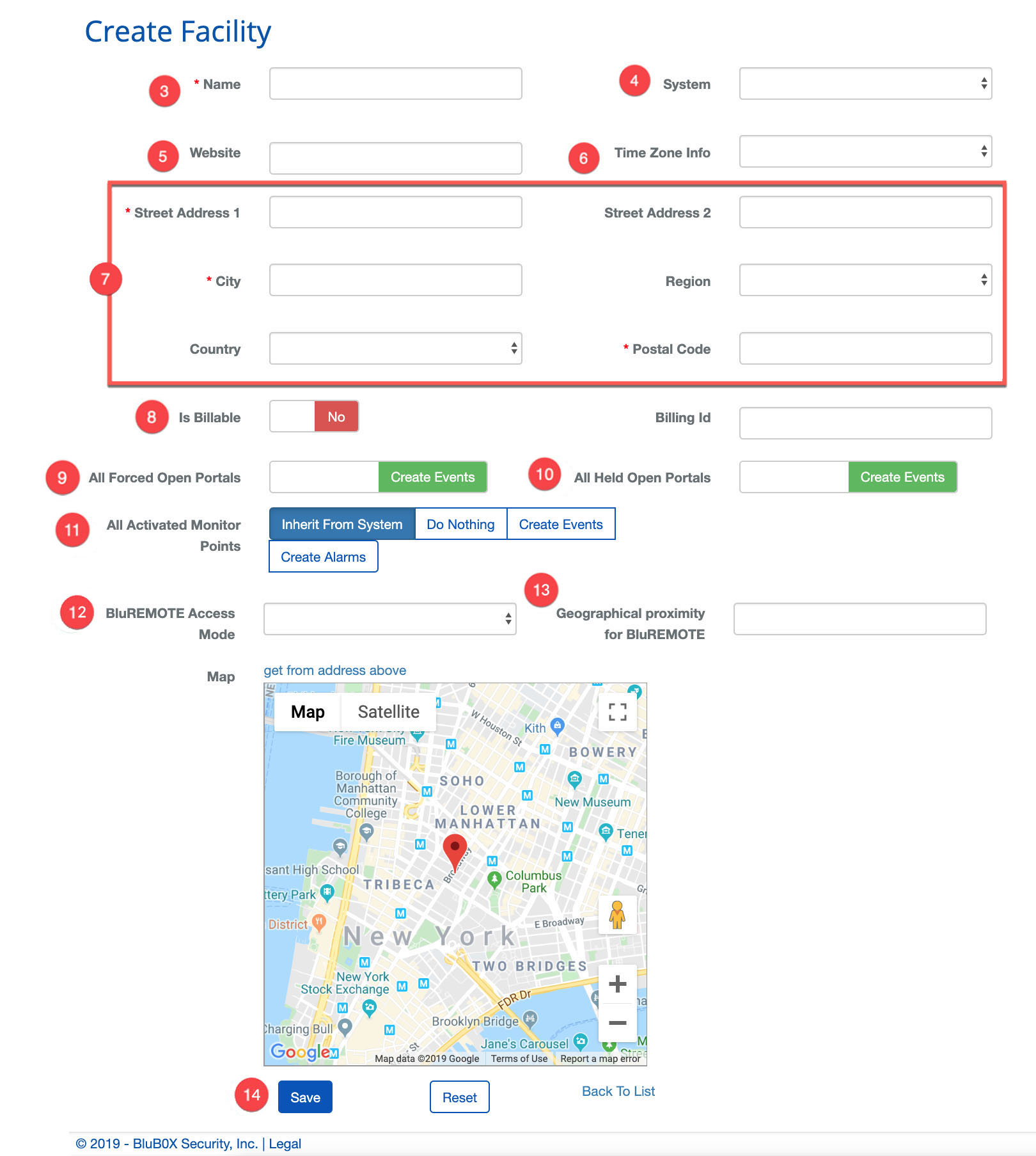
Create a Facility
BluSKY URL:https://blusky.blub0x.com/en-US/Building/Create
Overview
Facilities are the physical buildings that utilize a BluSKY access control system. Facilities also contain the configuration for Floors, Elevators and Elevator Banks. This article details the steps needed to create a new Facility in BluSKY.
Instructions
- Navigate to Facility. Main Menu-> Setup-> Facilities and Customers-> Facility
- Click the
 icon to create a new Facility.
 - Enter the name of the Facility.
- Select the System.
- Enter the Website if applicable.
- Use the Time Zone Info drop down menu to select the proper time zone.
- Enter the Address in the Address fields.
- Set Is Billable to Yes
- Set the default behavior for Forced Open Portal events.
- **Note:**Forced Open and Held Open events will always create events. For more on the benefits of each configuration see, Forced Open and Held Open Alarms and Events
- Set the default behavior for Held Open Portal events.
- BluREMOTE Access Mode - No Override
- Geographical Proximity for BluREMOTE - approx. 100 is suggested
- Determine the default behavior of the Monitoring Points of the System.
- Note: This setting will only be applied when Monitoring Points inherit their behavior. For more, see our guide on Inherited Monitoring Point Behavior
- When finished use the
 button to finish.