How to Enable Location services on an iPhone
Overview
In order to use the GeoFencing feature of BluREMOTE you will need to enable the location services for your iPhone device AND the Browser you want to use BluREMOTE with. This document covers setting up Location on an iPhone.
- Go to your iPhone's Settings
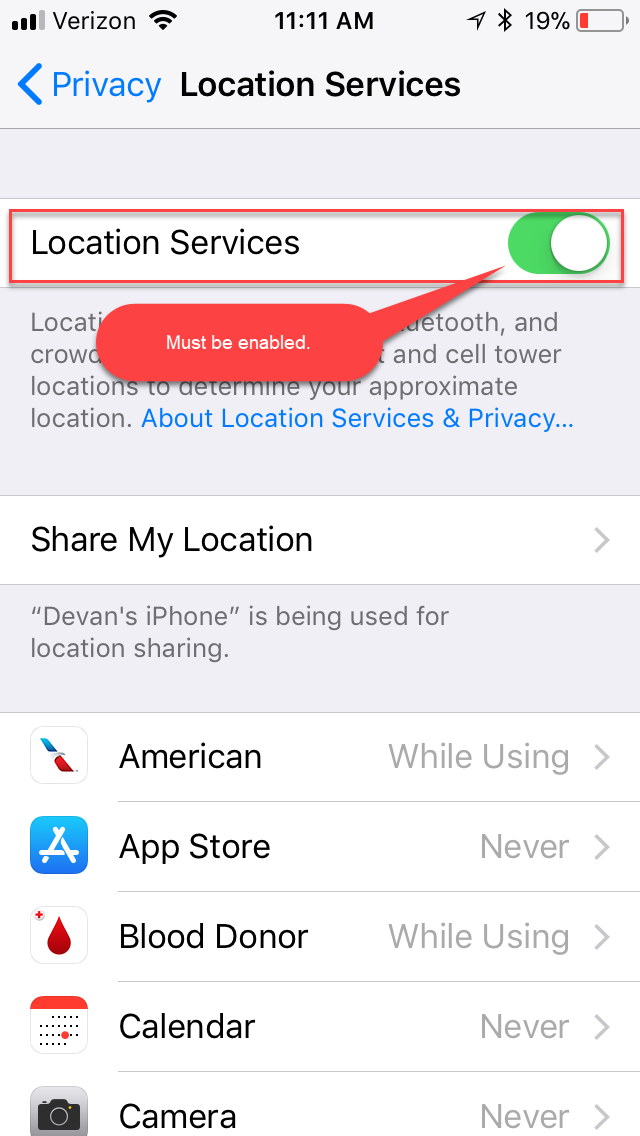
- Tap Privacy > Location Services

- Make sure "Location Services" is enabled.
- Scroll down and tap Chrome, or Safari
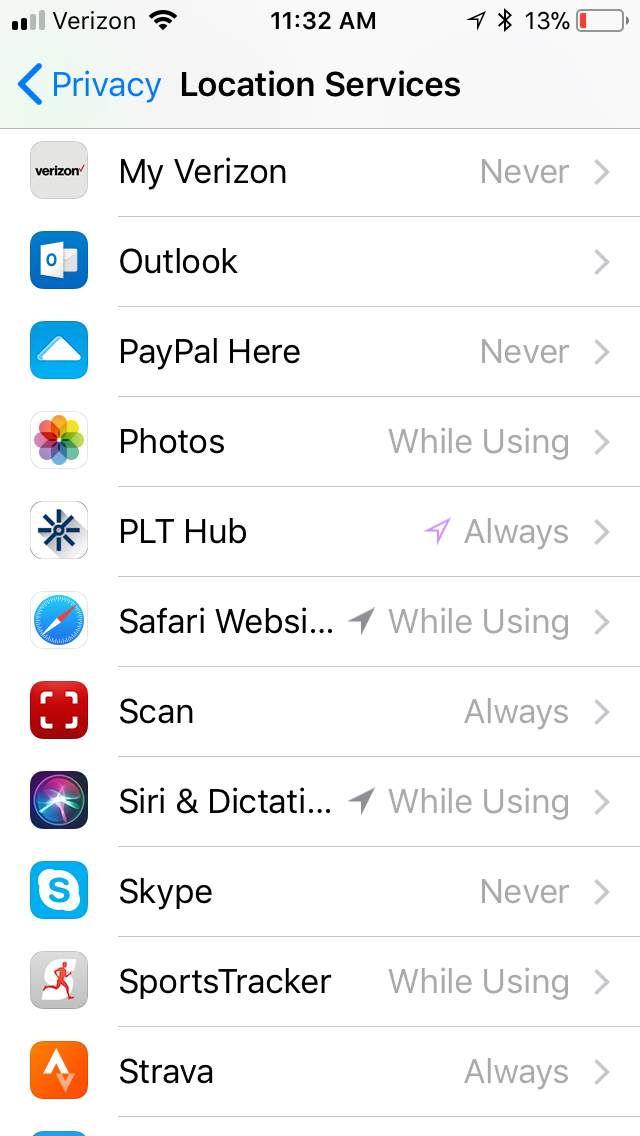
- Select While Using the App to choose location access
