Log into BluSKY using an existing Integrator login.
Go to Administration->People>Create or select the "Add a Person" icon on the landing page.
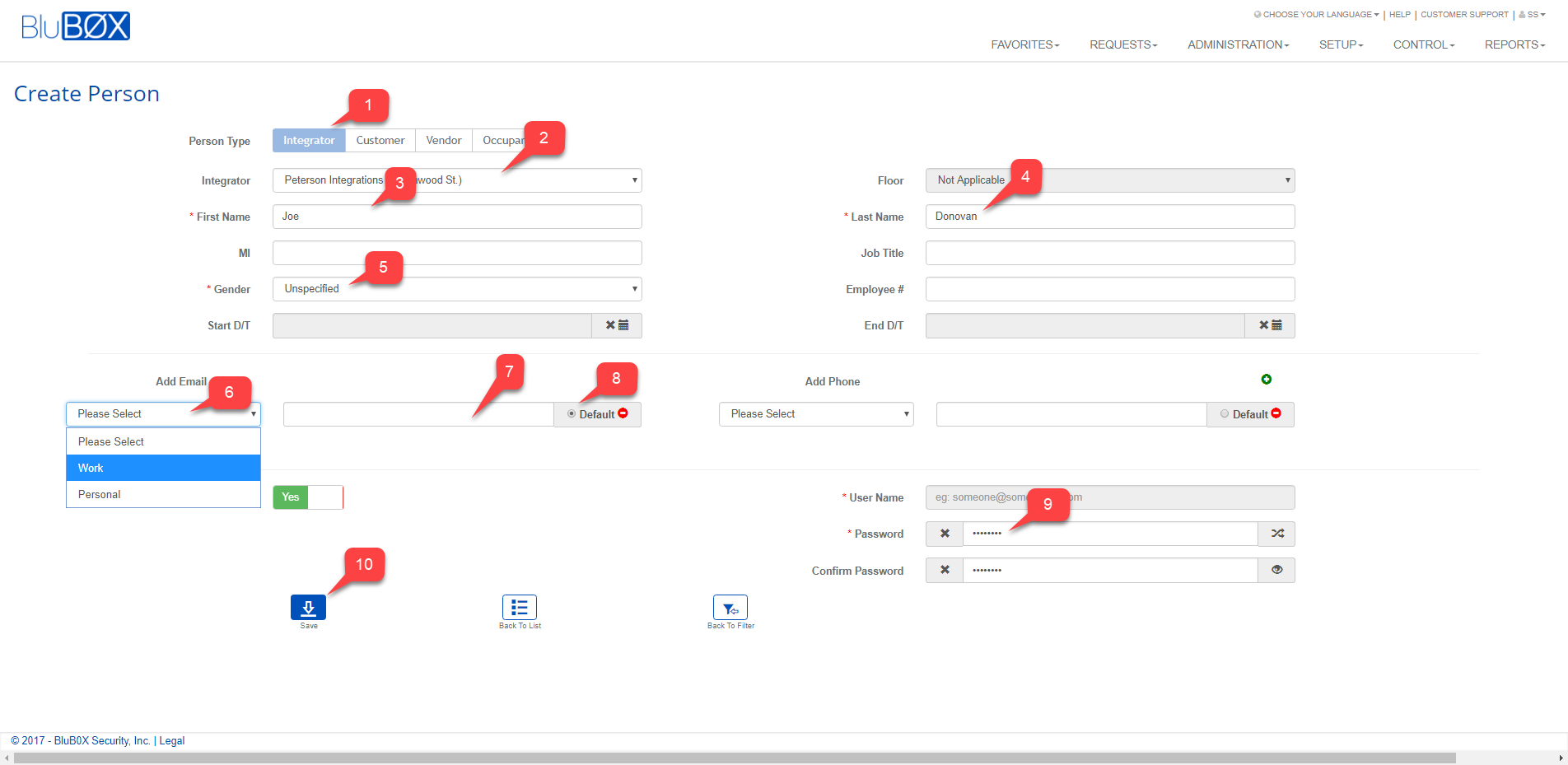
Populate the Basic information for the new person
Person Type: Select "Integrator"
Integrator: Select the name of the integrator
First Name: Add the first name.
Last Name: Add the last name.
Gender: Select the gender.
Select the type of email.
Add the email address
Select the Default button - This is needed to populate the "User Name".
Create a password. If you do not add one then one will be create automatically.
Select Save.
An email will be sent to the newly created user letting them know they have a login
Add a Role to the newly created Integrator.
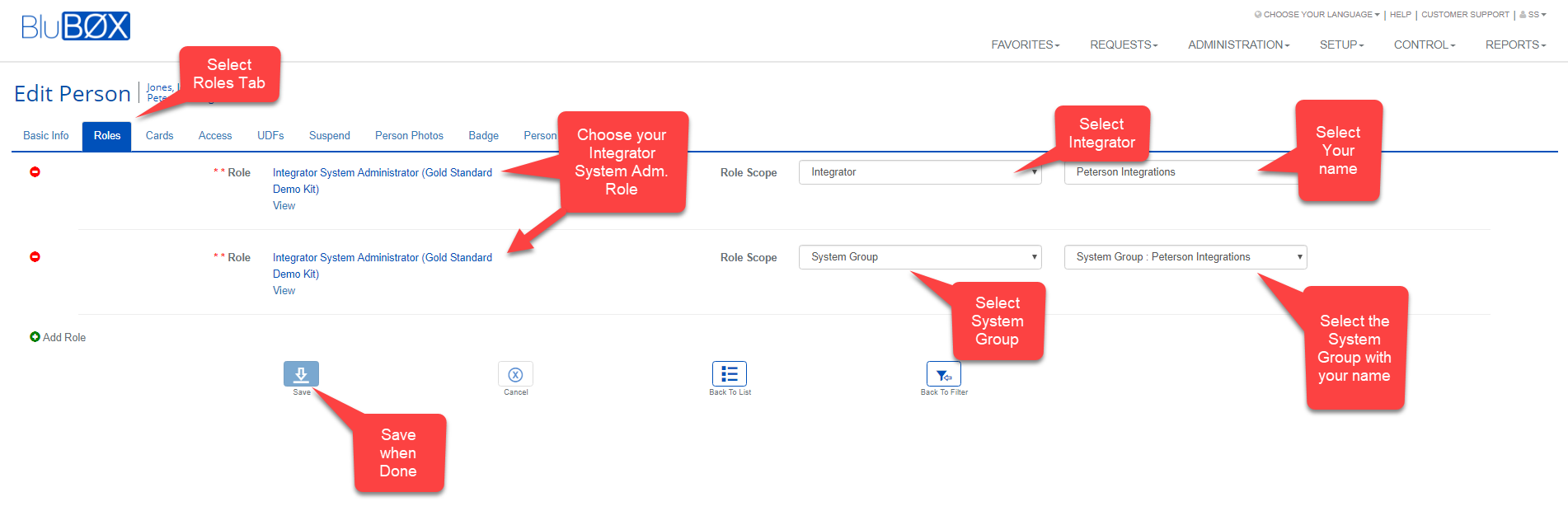
Select Role tab
Select an Integrator role
When BluB0X creates a new integrator they will create an Integrator role. Usually the Role is named "Integrator System Administrator" but sometime the role is renamed.
Scope the role to "Integrator"
Select your integrator / Company name
Add another row by selecting the "Add Role" button
Select the same Integrator role as above.
Scope the role to "System Group"
This will enable the newly created person to work on any system the integrator creates currently and in the future.