Role List View
BluSKY URL: https://blusky.blub0x.com/en-US/Role
Overview
Roles are a collection of permissions that can be granted to one or more people serving a similar function in a facility. This article will serve as a reference for the Role List view.
Role List Definitions
| Name | Role Name |
|---|---|
| Name | Name of the role. |
| Description | What is the intent of this new Role. |
| Occupant | What is the Occupant associated with this person. |
| AC System | Name of the access control system. |
| Permissions # | The Permissions Number for a user. |
| Access Rights # | The number or access rights associated with role or user. |
| Deleted | If checked, entry is deleted from BluSKY. |
| Date Inserted | The date this entry was added to BluSky. |
| Inserted By | The name of the login who created this entry in BluSKY. |
| Date Updated | The date this entry was last updated. |
| Updated By | Who make the last update to this entry. |
| Date Deleted | The date this entry was disabled or deleted from BluSky. |
| Deleted By | Name of person who disabled this entry. |
Search Criteria
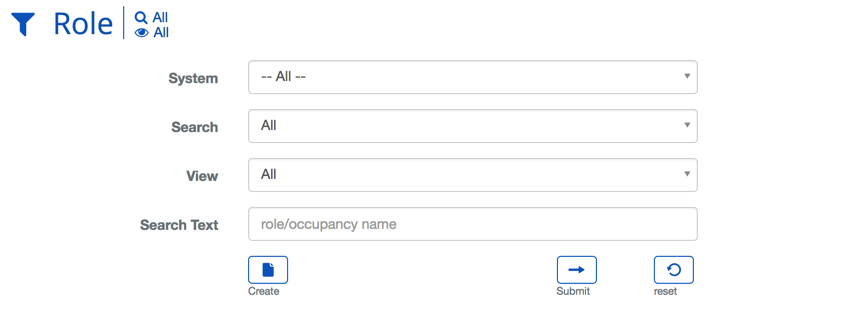
| Name | Description |
|---|---|
| System | Choosing a System will filter the results in the list to only the selected System. |
| Search | This field specifies which types of records will be shown, All, Deleted or Active + Deleted. |
| View | View will bring you to the view screen. Use this to look up information on existing entities and access Audit Info. |
| Search Text | This field is used to limit the number of rows listed in the list box below. To use simply type a string of characters or words. Please note you will only see those items you have the permission and access rights for. It is a good idea to search first, even when you are creating a new entry. |
| Submit | This button performs a search based on the criteria selected in the filter. |
| Reset | This button clears all fields in order to start a new search. |