Beacons
Overview

Beacons are BluPOINT devices that allow for near field communication (NFC) between your BluSKY mobile application and the Facility's security system. With Beacons placed throughout the Facility, any mobile app user's location can be estimated and tracked for usage with BluREMOTE. Beacons are also commonly found behind other devices, such as Person Readers.
Search Criteria
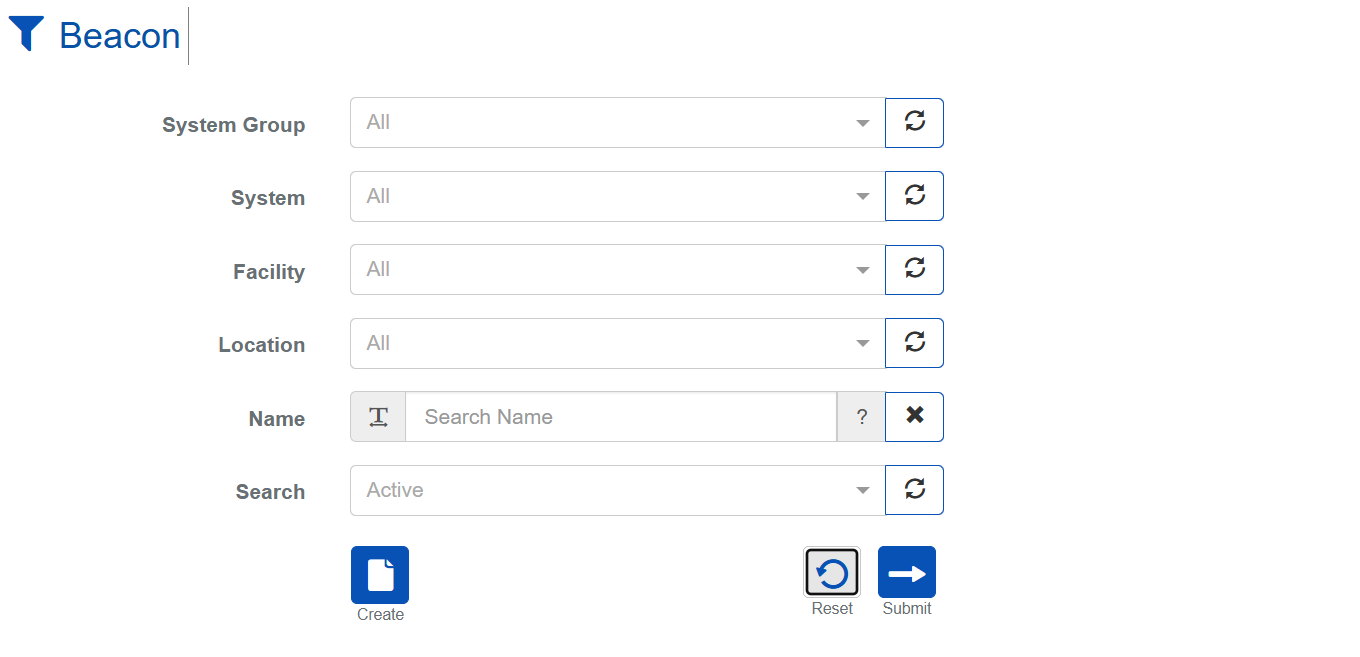
| Name | Description |
|---|---|
| System Group | The name of the system group. Use this field to search for Beacons across multiple related Systems simultaneously. |
| System | Name of the access control system. |
| Facility | The name of the Facility using the Beacon. |
| Location | The Location object in BluSKY associated with the Beacon(s) being searched for. |
| Name | The name assigned to the Beacon. |
| Search | This field is used to specify which records should be searched. The options are Active, Deleted and Active + Deleted. |
| Submit | Starts search based on the criteria selected in the two prior steps. |
| Reset | Clears all fields in order to start a new search. |
List Definitions
| Name | Description |
|---|---|
| Name | The name assigned to the Beacon. |
| Location | The name of the Location that this Beacon is at. This is a required field for all Beacons. |
| MAC Address | The MAC address of the Beacon device. This is printed on the Beacon's physical board, or can be found via a network scan. |
| Nano Name | TBD |
| Firmware Version | The version of the firmware that is running on the Beacon device. |
| Reader Name | If this Beacon is associated with a Reader, the name of the Reader will appear here. |
| System | Name of the access control system. |
| Facility | The name of the Facility using the Beacon. |
| Date Inserted | The date this entry was added to BluSky. |
| Inserted By Person Name | The name of the login who created this entry in BluSKY. |
| Date Updated | The date this entry was last updated. |
| Updated By Person Name | Who make the last update to this entry. |
| Date Deleted | The date this entry was disabled or deleted from BluSky. |
| Deleted By Person | Name of person who disabled this entry. |
Beacon Setup Actions
 | Will bring you to the create screen. Use this if the entity does not exist in the BluSKY database. Be extremely careful not to create duplicates with slightly different names. |
 | Edit will enable you to edit the selection you chose. |
 | Delete allows for removal of the entity from the BluSKY database. |
Beacons are BluPOINT devices that allow for near field communication (NFC) between your BluSKY mobile application and the Facility's security system. With Beacons placed throughout the Facility, any mobile app user's location can be estimated and tracked for usage with BluREMOTE. Beacons are also commonly found behind other devices, such as Person Readers.