Suspend a Person
BluSKY URL: https://blusky.blub0x.com/en-US/Person
Overview
People are the ones that utilize the access control system on a regular basis. This article will detail how to Suspend a Person in BluSKY.
Suspend a Person
It may become necessary to Suspend a Person's Access Rights or BluSKY permissions.
- Log in and navigate to People. Main Menu->Administration->People
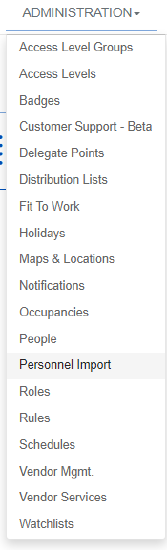
- Use the search criteria feature, then select the entry you wish to edit from the list.
- Use the
 icon in the lower left hand side.
- Note: If the edit button is not available ensure that only one entry has been highlighted.
- Use the tabs to select Suspend if not already on the correct Page.
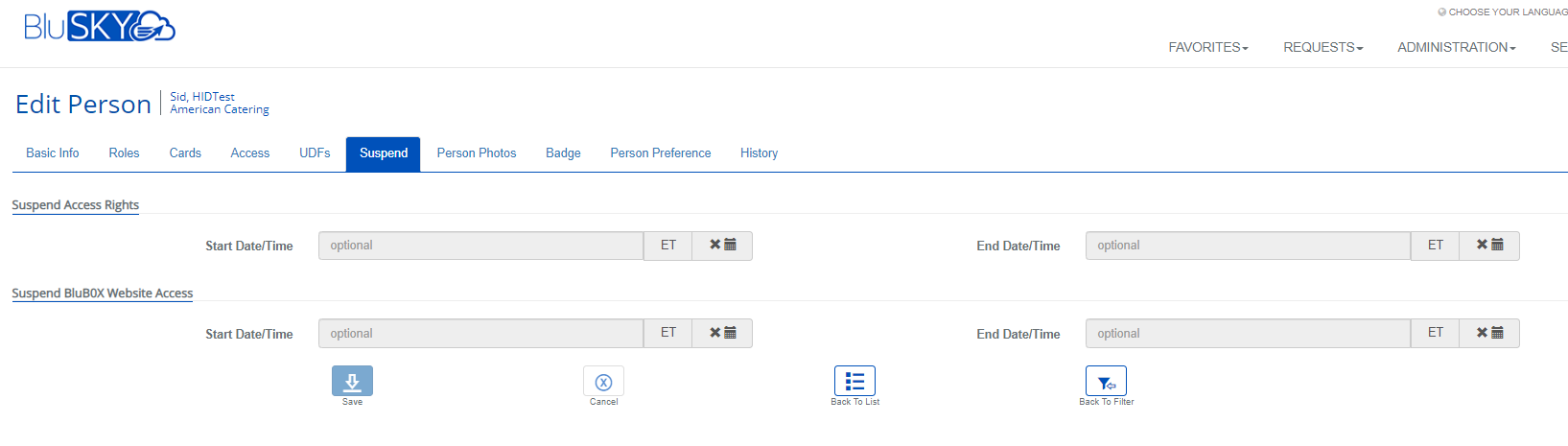
- If the Person's Access Rights must be suspended, use the top section to specify the period of the Suspension.
- If the Person's BluSKY rights must be suspended, use the bottom section to specify the period of the Suspension.
- Note: Click Here
 for more info on how to Set times for an Access Level.
- Confirm changes with the
 button.