October 7, 2026
Reports
a. Background Processing for Large Reports
- Large reports can now be processed in the background to avoid browser timeout issues.
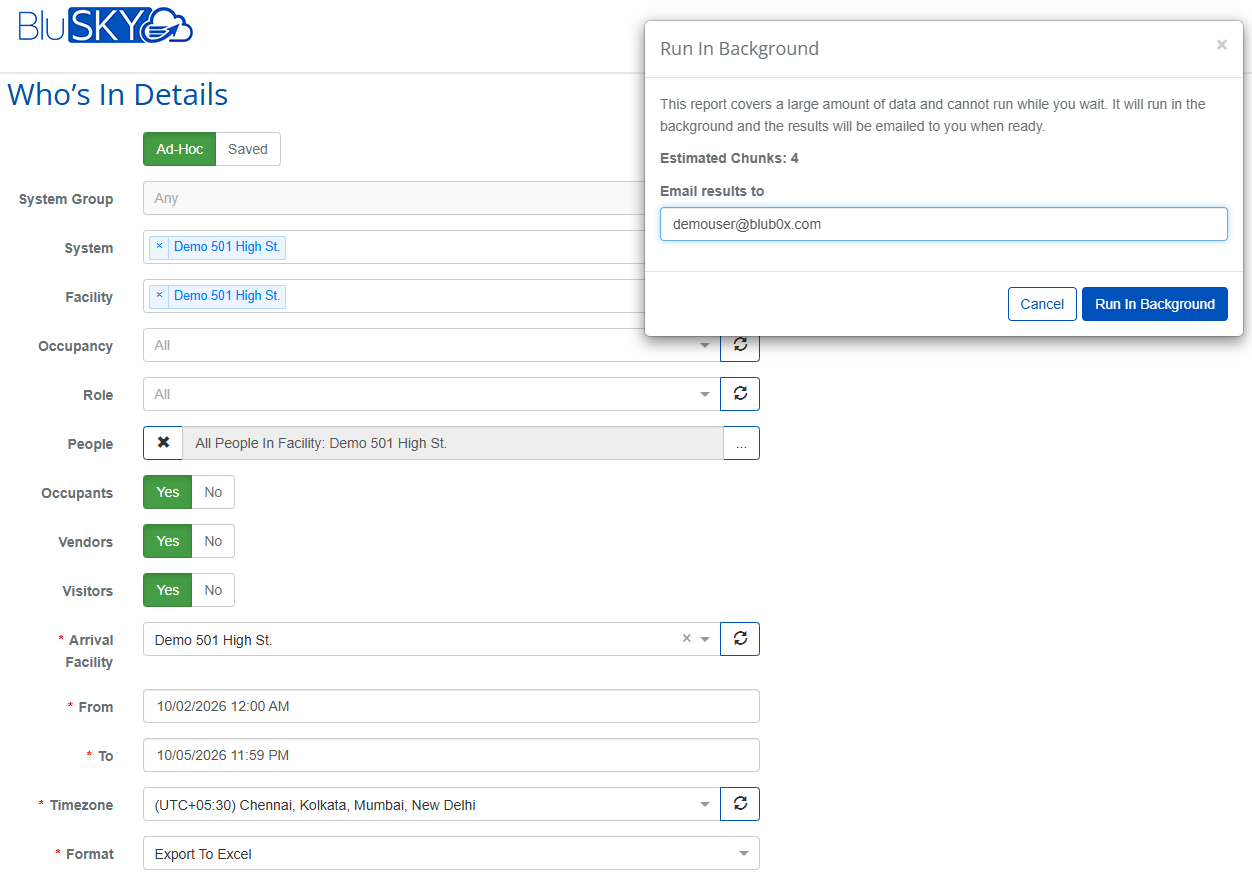
- A Run in Background pop-up is displayed when the report From and To date range exceeds one day.
- The pop-up displays the number of background processing chunks and includes an Email results to field.
- The report is processed in the background using date-based chunks, while the user receives one complete report containing all requested data for the selected time range.
- The completed report is sent to the specified email address.
- Background report jobs are monitored for failures or extended processing times.
- Duplicate report requests are prevented.
Supported Reports:
- Who's In Report
- Person Activity Report
- Event History Detail
- Visitor/Vendor Activity Report
b. Person Activity Report — Deleted Entities
- The Person Activity Report now supports reporting against deleted entities.
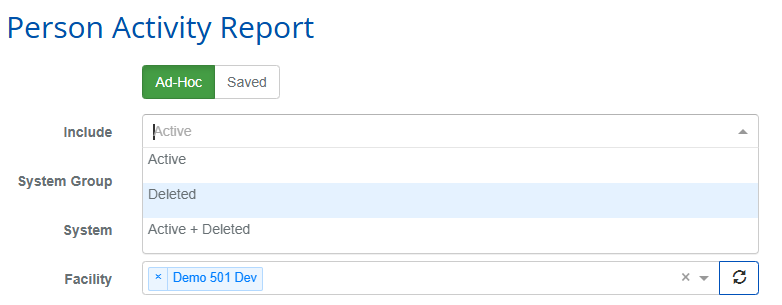
- A new Included filter allows users to select:
- Active
- Deleted
- Active + Deleted
- The filter applies to System Groups, Systems, Facilities, and Occupancies.
Signal
a. ReadIT Summaries for Elevators
- ReadIT now generates AI-powered activity summaries for elevators, in addition to portals.
- Summarizes elevator card reads and access events, including usage levels, activity trends, anomalies, and risk levels.
- Supports hourly, 8-hour, daily, weekly, monthly, quarterly, and yearly summaries, including weekday/weekend roll-ups.
- Summaries are identified by elevator car, such as Car 2A.
b. ReadIT Reliability Improvements
- Portal summaries now include badge swipes from portal card readers.
- Quiet-period buildings no longer reprocess historical data unnecessarily.
- Failed hourly summaries are retried a limited number of times instead of indefinitely.